Built for Exchange Affiliates & Crypto Communities
LINE Community Management
Automated Review
Auto-verify exchange binding eligibility
Smart join request review
Real-time member status sync
Built for Exchange Affiliates & Crypto Communities
Auto-verify exchange binding eligibility
Smart join request review
Real-time member status sync
COMMUNITY PLATFORM
SUPPORTED EXCHANGES
Whatever type of LINE community you run, NEX can help
Auto-review referral join requests, easily manage commission eligibility and member benefits
Provide exclusive LINE communities for followers, auto-verify exchange binding
Ensure only qualified students can join, auto-manage member eligibility
Verify subscriber eligibility, ensure only paying users can join the group
Watch the actual workflow and see how the system operates
From member applications to verification, from community management to data tracking - all automated
Auto-monitor community applications, review join requests, sync member status - seamlessly manage your LINE community.
Auto-approve or reject join requests based on user answers and exchange binding status, saving management time.
Supports OKX, Bybit, BingX, Binance, Bitget and other major exchanges. Auto-verify user trading volume, deposits, and KYC level.
Customize join questions, require users to enter exchange name, system auto-identifies and verifies.
When the same user joins multiple communities, auto-merge display for a clear view of member status.
Intuitive web interface to view member data in real-time, adjust community settings, and monitor system status.
Member join, leave, and kick events sync to the backend in real-time, keeping data up to date.
Automated review process makes community management effortless
User applies to join LINE OpenChat community
User answers join question (exchange name)
System verifies UID in nickname and exchange eligibility
Qualified: auto-approve, Unqualified: auto-reject
Modern admin interface for intuitive and convenient operation
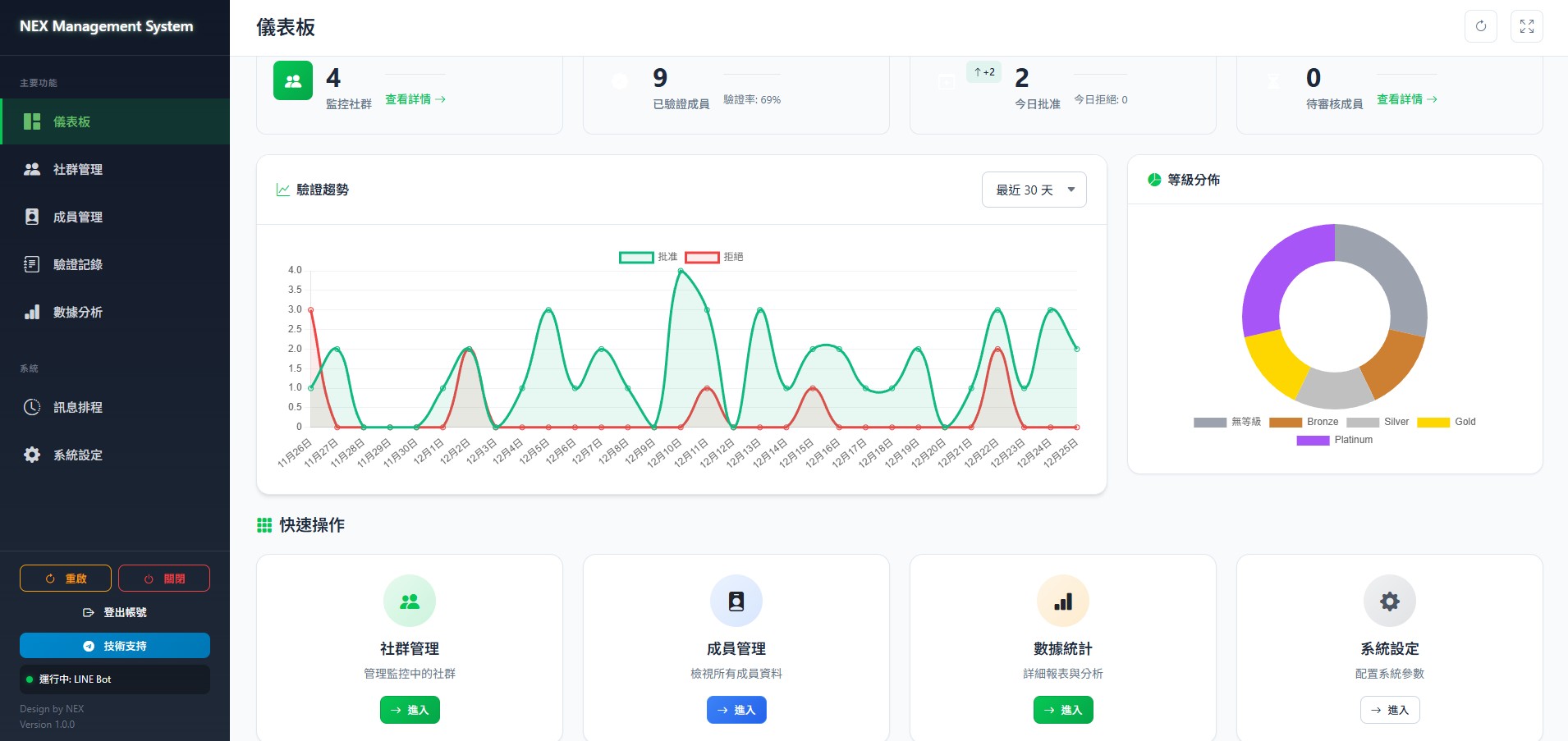
Real-time community stats, member status and key metrics
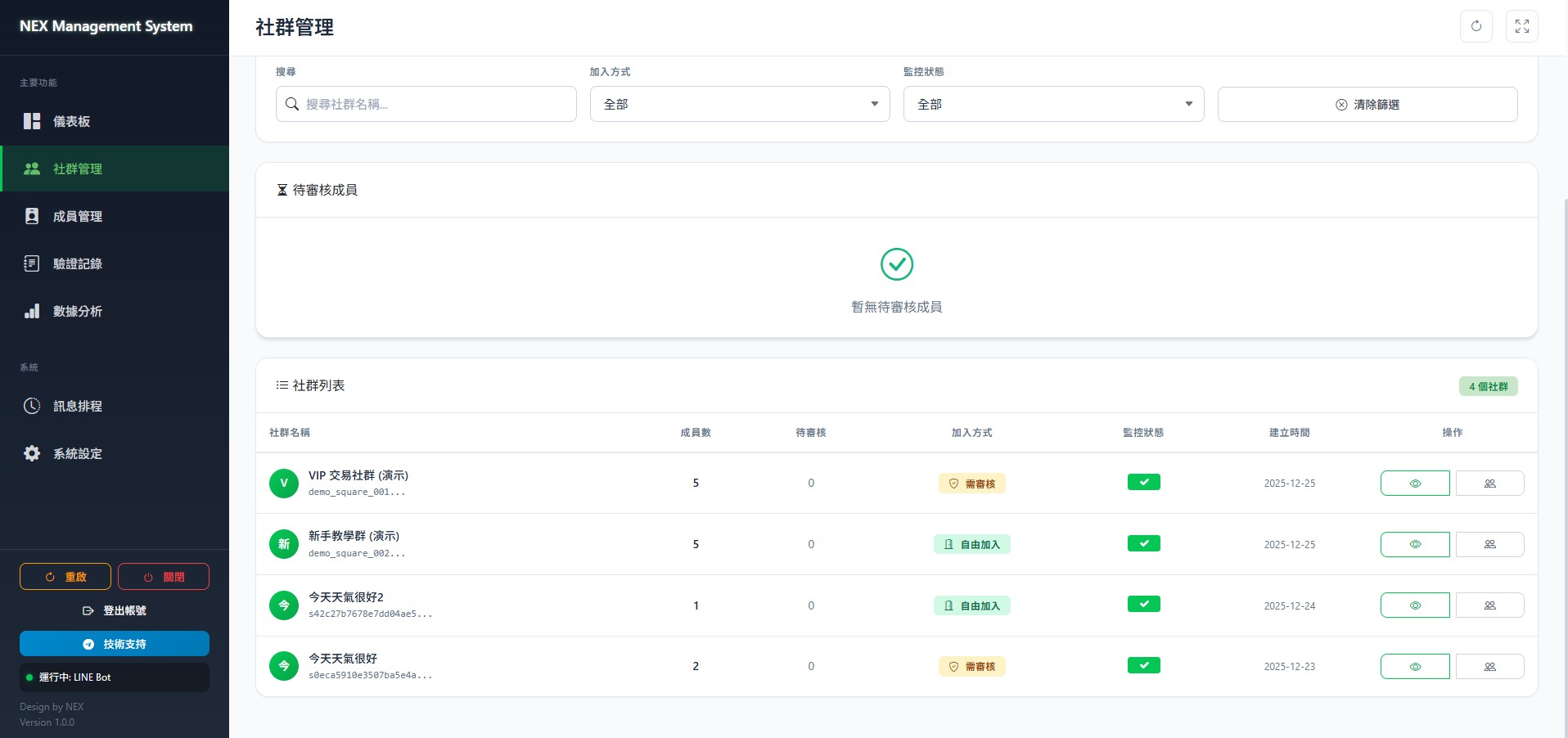
Manage multiple LINE communities, set review rules
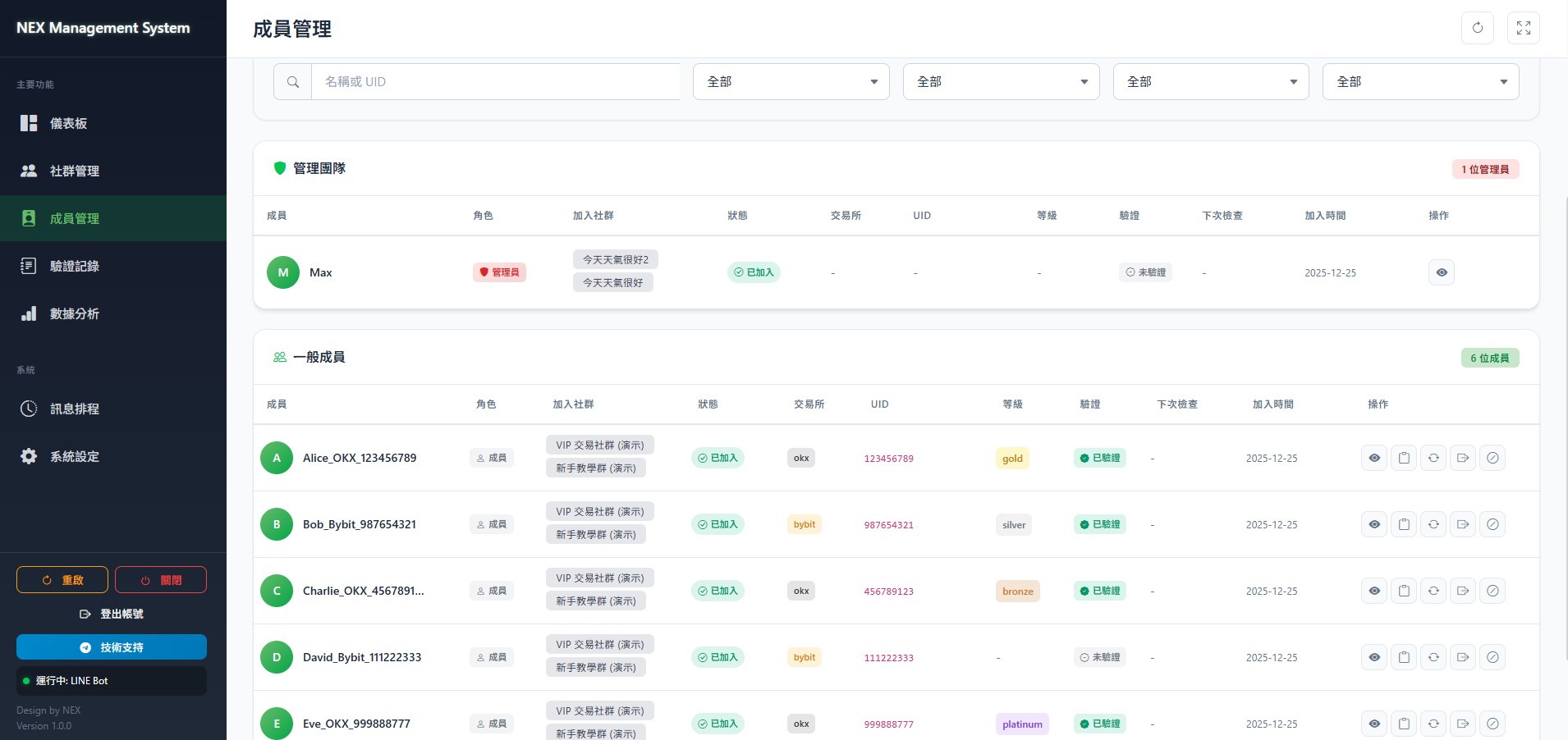
Complete member list, verification status and details
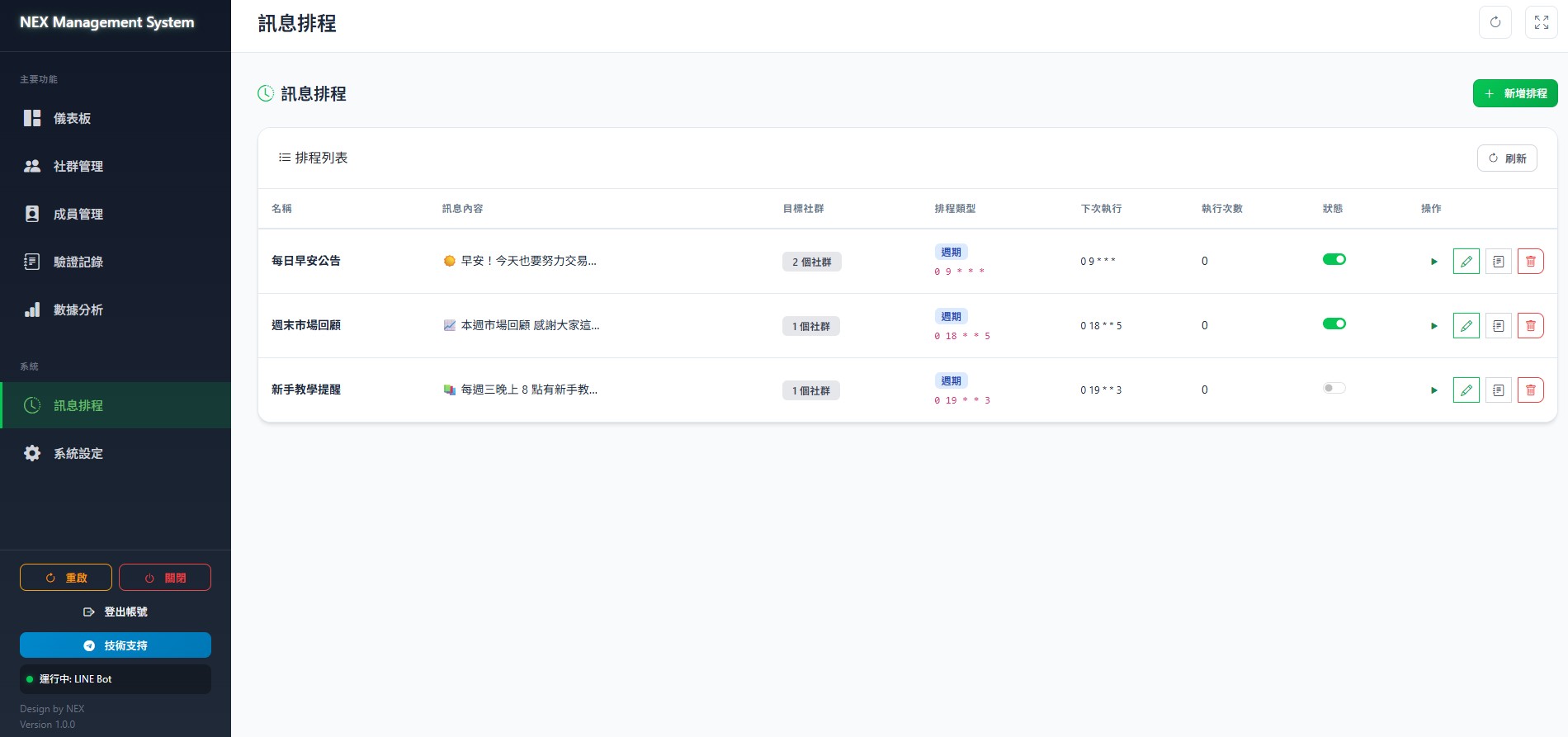
Schedule announcements, automate message management
Your data security is our top priority
Exchange API only requires read permissions. Cannot perform any trades or withdrawals, ensuring your assets remain secure.
All data stored on your own device, never passes through third-party servers. You have full control of your data.
System only verifies user eligibility, never touches any funds. User assets always stay safe on the exchange.
Choose the plan that fits your needs and get started today
Full features, ready to go
Tailored to your needs
Common questions about LINE OpenChat management system
Currently supports OKX, Bybit, BingX, Binance, and Bitget, five major exchanges. The system auto-verifies user trading volume, deposit amount, and KYC level via exchange API. For other exchange needs, contact us to discuss custom solutions.
Users need to set their LINE nickname to their exchange UID (e.g., 12345678 or 12345678John), and answer the join question with their exchange name (Bybit, OKX, BingX, Binance, or Bitget). The system auto-extracts this information for verification.
Yes. The system supports managing multiple LINE OpenChat communities simultaneously, each with independent review settings and join questions. The admin panel consolidates member data from all communities.
Users who fail review are automatically rejected. The system records the rejection reason (e.g., insufficient trading volume, UID not found, etc.). Users can reapply after meeting the requirements.
Yes. You can modify the community's join method (public/approval required), join questions, and other settings from the backend. Changes sync to LINE in real-time.
The system can be deployed on your own computer or server. We provide complete installation guidance and technical support to ensure smooth setup.
Contact us now for more product information and pricing
Contact UsUsually replies within 24 hours